
Latent Heat vs. Sensible Heat
As companies increasingly embrace digital transformations and cloud data centers continue to scale, the heat these facilities generate rises significantly. This heat can take two forms — sensible and latent heat. While sensible heat is measurable and driven by equipment load, latent heat stems from moisture in the air and is often harder to detect, but no less important to control.
Each type has different causes, which affect how well your data center’s cooling system works. Understanding these differences can help you optimize your data center, minimize downtime and reduce costs.
This blog will discuss sensible heat vs latent heat and why they matter for data center environmental control. It will also provide helpful tips and best practices for managing heat and related environmental concerns within your facility.
What Is Sensible Heat?
Sensible heat is “dry” heat, the energy required to raise or lower a substance’s temperature without causing it to change phase. For example, to boil water, you need to increase its temperature without allowing it to evaporate.
Sensible heat is measurable — when you adjust the thermostat or check a server’s temperature, the “dry-bulb” reading you get corresponds directly to each object’s sensible heat. Sensible heat is also the heat you can feel, which is where it gets its name.
The work a server does during operation causes it to radiate heat. The heat your data center equipment gives off is its sensible heat load. This load is easy to manage using heating, ventilation and air conditioning (HVAC) technologies and efficient airflow solutions.
What Is Latent Heat?
Latent heat is “wet” heat, the energy that a substance absorbs or releases during phase changes. For example, when water absorbs enough heat, it vaporizes — the energy causes its molecules to vibrate at higher frequencies, breaking the bonds that hold them together. When the water vapor loses that heat, it condenses into water again as those bonds re-form. Latent heat is always present with water vapor. Condensing water vapor is how HVAC systems eliminate excess heat, a critical task in humid climates.
Although latent heat is involved in an object’s phase change, it does not affect its temperature. Unlike sensible heat, latent heat is immeasurable using a conventional thermometer.
However, latent heat and sensible heat are connected. In data centers, the sensible heat that equipment gives off transfers to the moisture in the air, which vibrates faster and releases latent heat. While this latent heat does not affect the facility’s overall temperature, it does make it more challenging to maintain an optimal temperature.
How Are Sensible Heat and Latent Heat Transferred?
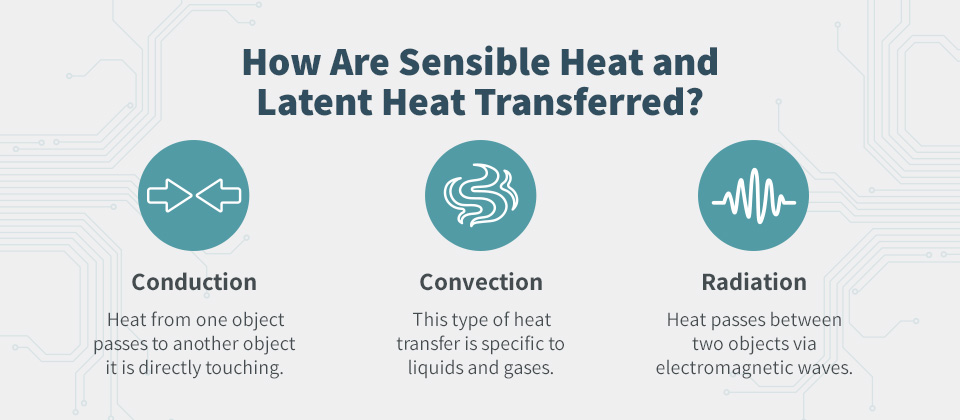
According to the theory of thermal equilibrium, heat always flows from hotter objects to colder ones. Sensible and latent heat can transfer in three ways:
- Conduction: Conduction occurs when heat from one object passes to another object it is directly touching. This transfer stops when both objects reach the same temperature.
- Convection: This type of heat transfer is specific to liquids and gases. It occurs when a liquid or gas rises to a cooler area, loses heat and sinks again, creating a circulating heat current. Convection is a highly efficient method of heat transfer.
- Radiation: Radiation occurs when heat passes between two objects via electromagnetic waves. For example, a rock in the sun gains heat from the sun’s electromagnetic waves.
These mechanisms move both sensible and latent heat throughout your data center, which may impact cooling strategies.
How Heat Affects Data Centers
IT equipment generates high levels of heat, so modern data centers naturally produce more heat as they get bigger and more advanced. The sensible heat the equipment gives off during regular operation can cause increasing temperature changes in nearby devices.
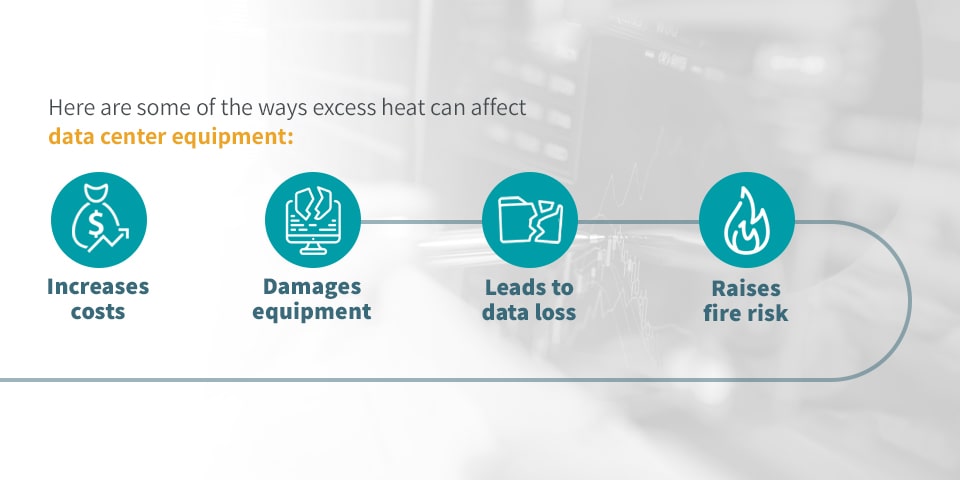
Here are some ways excess heat can affect data center equipment:
- Increases costs: Hotter data centers use more energy, which means they also cost more to operate. Taking proactive measures to minimize sensible heat generation can help reduce operating costs.
- Damages equipment: Excessive heat can damage or even destroy data center equipment. Low temperatures can extend server lifespans and keep everything running at peak performance.
- Leads to data loss: When storage drives crash due to overheating, the risk of losing mission-critical data increases significantly.
- Raises fire risk: Although the Uptime Institute states that data center fires are rare, proactively managing heat can help avoid the damage a potential fire could cause.
Effective environmental management is key to preventing damage from significant increases in sensible heat.
Causes of Latent and Sensible Heat in Data Centers
Understanding the reasons for latent heat vs. sensible heat can help you more effectively manage your data center’s internal environment.
Here are some of the top causes of excess heat in data centers worldwide:
- Excessive cooling capacity: Although it may sound counterintuitive, having too much cooling capacity can lead to hot spots in your data center. When you have more cooling units than you can reasonably power, none of them will have the power they need to perform optimally.
- Inadequate cooling capacity: Undersized systems may run continuously and still not remove enough heat or moisture. The system’s inability to balance temperature and humidity levels leads to inefficiencies and equipment wear.
- Lack of ventilation: Poorly ventilated data centers are likely to experience residual latent and sensible heat, as they have limited capacity to remove that heat.
- Poor airflow: Inefficient airflow can prevent cool air from reaching the spaces you need to cool most, leading to hot spots and overheating equipment.
- Older equipment: Aging technology requires additional energy to run advanced processes, causing it to generate more heat. If you run these processes regularly, your drives will likely experience significant increases in sensible heat.
Knowing where your data center is producing latent and sensible heat can help you identify how best to maximize your system’s efficiency. For example, if airflow efficiency is your primary issue, you can redesign your facility’s layout to remove potential blockages and improve your cooling system’s efficiency.
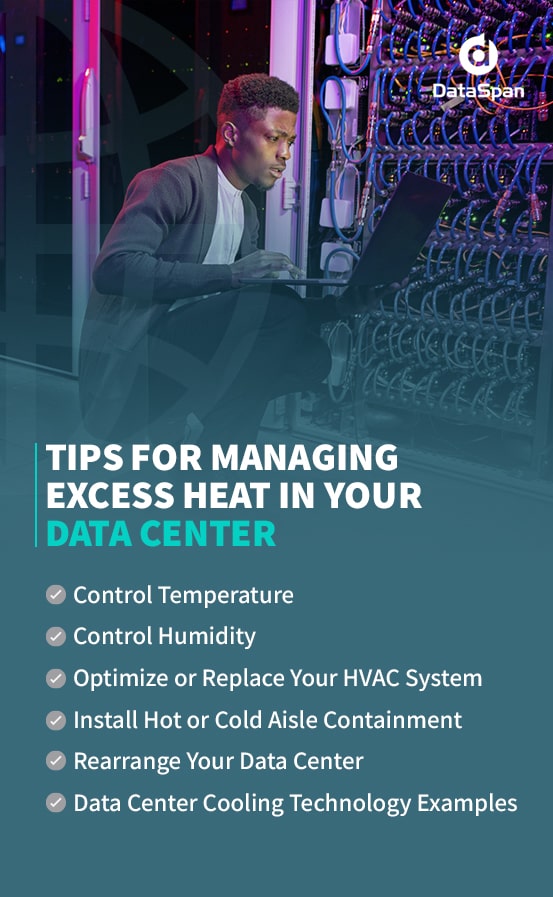
Tips for Managing Excess Heat in Your Data Center
When you set your facility’s thermostat to a lower temperature, your HVAC system removes sensible heat from the air. However, latent heat often remains.
Managing heat directly affects other environmental control methods. Here are some tips for controlling latent and sensible heat.
Control Temperature
The American Society of Heating, Refrigerating and Air-Conditioning Engineers (ASHRAE) recommends that data centers maintain a temperature be
tween 64 and 81 degrees Fahrenheit. Leveraging effective temperature control systems, including your server hardware, can help prevent your facility’s sensible heat from exceeding that range.
Additional temperature controls like aisle containment, airflow management and chillers are also useful for preventing increases in sensible heat.
When you can easily identify changes in sensible heat, you can respond quickly to manage the threat before it affects your equipment. Temperature monitoring is an important part of data center climate control. Installing in-rack or in-room temperature sensors can help you monitor your equipment more consistently.
You can also combine smart temperature sensors with portable detectors for a more comprehensive solution. By requiring your staff to conduct periodic temperature checks, you can verify the readings on your wireless sensors and rest assured that everything is working as it should be.
Control Humidity
Because latent heat is present in humidity, managing humidity can help you minimize environmental heat. ASHRAE recommends a maximum relative humidity level of 60% for data centers.
In addition to increasing the heat in your data center, excess moisture can damage your servers and other storage hardware. However, it’s vital to ensure you’re not removing too much moisture, as an environment that is too dry has a high risk of static electricity.
Other techniques for maintaining the ideal humidity range include:
- Ensure proper airflow management: Good airflow is essential for effective humidity management. Check under floor tiles for blockages and streamline your facility’s layout to remove any barriers to air movement.
- Install air management systems: For precise condition control, use computer room air conditioner (CRAC) and computer room air handler (CRAH) systems for precise condition control. These cooling units support variable-speed fans and coil management, which allows precise modulation of temperature and relative humidity.
- Seal gaps and entry points: Moisture infiltration through cable openings or raised floor penetrations can disrupt humidity control. Proper sealing helps maintain a stable thermal envelope.
- Monitor humidity levels: Install humidity sensors at multiple points in your space to assess moisture levels.
Optimize or Replace Your HVAC System
Before you can begin designing a temperature management solution, you need to understand sensible and latent cooling capacity. Your sensible capacity is the ability of your air conditioning system to cool the space by removing sensible heat.
Similarly, your latent cooling capacity (LCC) is your system’s ability to remove latent heat by dehumidifying your space. Essentially, it measures the amount of energy your system adds or removes from the environment to manage humidity levels during the air conditioning process.
You’ll also want to ensure that your HVAC system is the proper size for your facility. An HVAC system that is too small is unlikely to pump air to every part of your data center. Similarly, having too much cooling capacity can lead to hot spots.
Install Hot or Cold Aisle Containment
Allowing cold and hot air to mix negates airflow efficiency. Hot and cold aisle containment solutions are highly effective ways to eliminate excess heat in data centers.
You can increase your facility’s cooling capacity and more effectively protect your equipment from overheating by keeping hot and cold air separate. You can also contain one or both of your aisles to isolate the airflows further.
Your server racks and cabinets must all face the same way to create hot and cold aisles. This layout ensures that:
- The hot aisle is behind your server racks, where the hot exhaust air collects and the cooling system can remove it.
- The cold aisle is in front of your server racks, allowing cold air to flow directly into server inputs.
Enclosing the hot or cold aisles can help improve energy efficiency and reduce costs. However, cold aisle containment is the only practical option for existing data centers — hot aisle containment systems are easier to set up in new data centers than in existing facilities.
Rearrange Your Data Center
If you’re having difficulties fitting cooling improvements into your existing data center, consider redesigning your facility.
Distribute high-density racks throughout the facility to prevent hot spots from developing. Although packing advanced servers into a single rack may be efficient from a space standpoint, it can easily lead to overheated equipment and hot spots without proper cooling.
Spot cooling technology can also help keep problem areas — such as clusters of high-density racks — cool.
Schedule Regular Equipment Maintenance
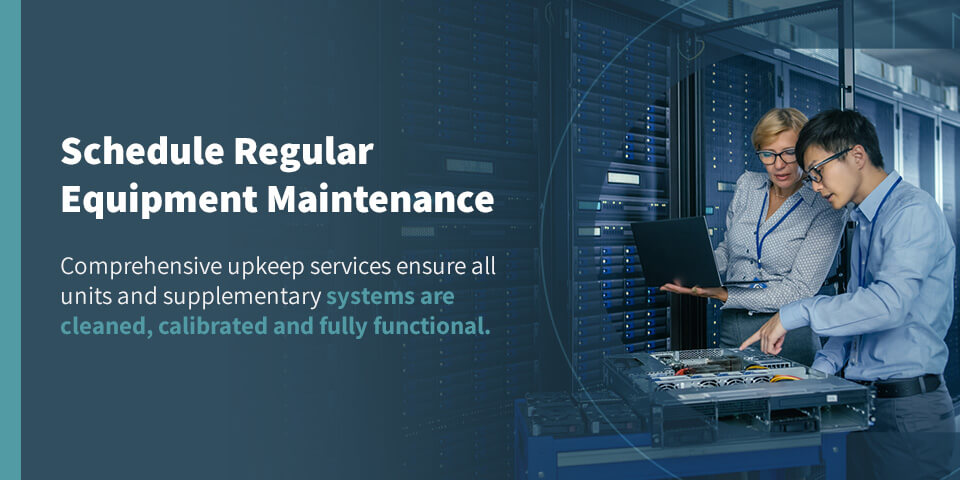
Preventive maintenance ensures consistent heat and humidity control. Poor coil hygiene, sensor drift and worn components reduce a unit’s ability to manage loads. Comprehensive upkeep services ensure all units and supplementary systems are cleaned, calibrated and fully functional.
These include:
- Inspecting humidification components: Depending on the system design, this inspection may involve checking steam canisters, ultrasonic membranes or media pads.
- Validating sensor accuracy: Relative humidity and temperature sensors can drift over time. Regular recalibration ensures your control logic is acting on accurate input.
- Checking airflow paths: Confirming that components are clean and modulating properly, and no obstructions affect pressure differentials or flow consistency.
Data Center Cooling Technology Examples
Efficient data center cooling solutions eliminate latent and sensible heat from the environment, increasing your equipment uptime, reducing energy costs and enabling you to scale as needed.
Some of the most common data center cooling technologies include:
- Raised floor tiles: Installing raised floor tiles in cold containment aisles can increase airflow, improving your cooling system’s overall capability.
- Computer room air conditioner: CRAC systems are HVAC solutions specifically designed for cooling commercial data centers. They’re relatively affordable because they create cool airflow by drawing from a refrigerant cooling unit.
- Computer room air handler: CRAH systems deliver precise temperature control in larger facilities. They transfer large volumes of air through chilled coils and are excellent at controlling sensible heat.
- Free cooling: Data centers in cold regions can leverage outside temperatures to vent excess heat and draw in cool air. This solution is cost-effective and energy-efficient, as it enables you to leverage natural forces.
- In-row cooling units: These units are installed between server cabinets, delivering cold air horizontally into the aisle. Because they are close-coupled to the heat source, in-row coolers improve cooling efficiency and reduce hot spots.
- Rack-mounted cooling: Designed for high-density installations, rack-mounted cooling systems remove heat at the server level. These systems often use refrigerant or water-to-air heat exchangers and are ideal for managing sensible heat.
- Containment systems: Hot aisle or cold aisle containment creates controlled airflow zones that isolate hot and cold air streams. This technique improves cooling efficiency, reduces recirculation and stabilizes intake temperatures.
- Ceiling-mounted: Useful in environments where floor space is limited, ceiling-mounted systems provide localized cooling from above. These may be used as supplementary cooling solutions and generally focus on temperature management.
- Portable cooling: Portable cooling units are typically used in emergencies, supplemental needs or equipment staging areas. While most focus on temperature control, a few models include dehumidification features.
You can combine many of these solutions to create a comprehensive system. For example, you could combine free cooling with a hot and cold aisle design to maximize energy efficiency.
Ultimately, the best approach to managing residual latent heat is one that addresses your facility’s specific needs. An experienced data center cooling provider can help you identify potential heat sources you may have previously overlooked and design better environmental management solutions for your facility.
DataSpan’s Cooling Solutions
DataSpan’s knowledgeable team works with you to design customized cooling solutions that meet your data center’s unique goals. Whether you’re interested in implementing aisle containment solutions or CRAC and CRAH cooling units, we’re with you from design to installation.
We also provide data center cleaning and consulting services to remove contaminants that may have settled on your equipment due to high humidity. Airborne debris can get into your cooling and power equipment, reducing its efficiency. In severe cases, it can even cause equipment to short-circuit and shut down unexpectedly.
Trust DataSpan for Reliable Data Center Cooling Equipment
If you’re dealing with sensible vs. latent heat in your data center, DataSpan can help you create an optimal cooling and heating solution.
We have 50 years of experience working with data centers, so you can count on us to deliver reliable solutions for optimal performance. We’ll work with your schedule to minimize disruptions and downtime. Whatever time of day works for you, we’ll be there to get the job done.
Reach out to your nearest DataSpan rep for more information about our turnkey and custom data center cooling systems.