
Data Center Temperature Sensor Placement
Many companies rely on data center storage to keep their information secure in an on-site location, off-premises
building or a combination of the two. With the amount of running equipment housed within these buildings, temperature
regulation is essential. Between the heat from your IT loads, the external environment and weather patterns, many
factors can influence equipment efficiency.
What Is a Data Center Temperature Sensor?
Temperature sensors make it easy to monitor the environment in your facility and respond appropriately to any changes. With the proper placement, you’ll receive notifications whenever there’s a significant increase or decrease that might affect equipment efficiency.
These sensors monitor temperature, humidity and airflow. The goal is to balance the coolness in your facility, maintain moderate humidity to prevent electrostatic discharge or condensation and control free airflow throughout the server racks. It’s key to place these sensors in hot zones at the top, bottom and middle racks to gain a complete picture of temperature status. Be sure to place sensors near the air conditioning equipment as well.
Temperature sensors vary based on what you need to measure and the location.
- Thermocouples:
Industries like automotive and manufacturing rely on thermocouples. These responsive tools function at varying temperatures, have independent power supplies and don’t require stimulation. - Resistance temperature detectors: The resistance temperature detector (RTD) uses the resistance in metal to measure changes in temperature for precision applications. They come in two-, three- and four-wire options, with the four-wire option serving as the most accurate solution.
- Thermistors: The thermistor is typically a polymer or ceramic tool that measures the drop in resistance of the thermistor as the temperature rises.
- Semiconductor-based ICS: There are two subcategories of temperature sensors based on the semiconductor, including distant digital types and local temperature. Often, an internal current and temperature device located on the circuit board enables these sensors to provide efficient real-time monitoring of sensitive equipment components. Local sensors have analog or digital outputs, while digital outputs come with multiple options, including I2C, SMBus, 1-Wire and Serial Peripheral Interface (SPI).
This guide will take you through the importance of temperature and humidity sensors and monitoring, the best placements for data center temperature sensors and how to ensure you have a reliable cooling system.
Why Is Temperature Monitoring Important for Data Centers?
Environmental control is essential for maintaining a reliable data center. High-tech equipment is sensitive to outside elements. It needs a controlled environment to run at full efficiency.
Countering Weather and Climate
Data centers are physical facilities, which means they’re subject to the environment. Weather influences how efficiently a center operates, and your location determines which elements demand your attention.
For example, you’ll need to focus more on keeping the center cooled if you’re in a hot region or adjusting your control systems in areas where the temperature fluctuates frequently. But heat isn’t the only weather concern. You also need to consider the prevalence of storms, periods of heavy rainfall, humidity
and the potential for natural disasters. Regardless of the general climate, attentiveness is key to maintaining your data center’s internal environment.
Temperature and humidity levels can have severe effects on your equipment, which is why it’s crucial to keep them balanced and well within the unit thresholds. All computers have a minimum and maximum range within which they operate most efficiently. If the center gets too hot or you can’t properly control airflow, it can result in outages and inefficiency.
While most center operators understand the importance of temperature regulation, some may overlook the necessity of controlling the amount of moisture in the air. A humid data center can result in condensation forming in hard drives, on motherboards and in sockets. This issue can damage your computers and potentially cause costly outages.
Balancing Rack Density
In addition to external factors such as weather and general climate, rack density is also influential. High- and low-density racks can cause issues with equipment efficiency and security.
Some center managers may choose to leave areas of racks open for the sake of potential future growth. However, low-density racks mean gaps in airflow. These spaces can cause pockets of coldness, which contaminates the air running through hot racks and can result in inefficiency. It also requires a higher level of monitoring and more energy to keep the air regulated, which means higher expenses.
Over the past several years, an increasing number of data centers have begun operating with high rack densities. Recent findings have revealed that nearly two-thirds of data centers in the United States experience peak demands between 16 and 20 kilowatts per rack. However, 10% of data centers report densities between 20 and 29 kilowatts, with 5% reporting at 50 kilowatts or greater.
While properly configured high-density racks can create a more self-regulated airflow within your data center, they also produce higher amounts of heat. In turn, you’ll have to pay more attention to cooling management.
The best options for high-density zones are to provide cooling solutions for each row or rack, rather than relying on ambient temperature regulators.
Outage Prevention and Environment Monitoring
Climate control and temperature sensors help you monitor and adjust the conditions within your data center. They make it relatively straightforward to observe temperature and moisture content shifts for your data center as a whole and individual racks.
By keeping track of patterns and consistently monitoring the shifts, you can modify the internal conditions to support optimal efficiency and prevent downtime. However, you must understand your center’s current airflow and threshold before placing sensors or keeping accurate tabs on your units.
Some units may tolerate temperature fluctuations better than others, and layout can affect the threshold levels and airflow pattern. It’s critical to know the general temperature limits of your center and the individual needs of each computer or rack to provide effective cooling solutions.
As a starting point, you should comply with all national and local codes, such as National Fire Protection Association (NFPA) regulations — particularly NFPA 75 and 76, which relate to fire suppression and cooling. Data center managers can also follow design, performance and green standards for optimal environment control, as well as international infrastructure standards and certifications, such as those of the American National Standards Institute (ANSI).
Wireless sensor networks (WSNs) can also help you retrofit your center to create a more energy-efficient cooling environment. Developed as early as 2001, energy efficiency retrofitting involves installing a meshed system of individual sensors linked by a common wireless fidelity network. WSNs actively measure temperatures within your data center and allow your operator to gain a more in-depth view of environmental conditions and trends.
In-Rack vs. In-Room Placement
Knowing how your layout affects airflow and average temperature will allow you to install the best possible solutions. For optimal control over your data center’s internal temperature, place sensors in areas that will provide the most accurate and thorough readings.
You have two options for sensor placement, based on your rack density, room size and preferences.
1. In-Rack Sensors
Air temperatures can vary from rack to rack or even in different areas of the same group. By aligning them closer to the units, you can get accurate readings of the general, inlet and outlet temperatures.
If you want to measure the highest temperatures, place sensors at the tops of racks. The heat will naturally rise to the top of the room, and, in theory, the units closer to the floor will always have a lower reading.
However, this doesn’t mean you should neglect the other areas. You can put server rack temperature sensors at the top, bottom and center for more accurate readings and airflow mapping. The sensors at the top should serve as worst-case readings, while those placed around the center will display a reading closer to the room average.
When using in-rack sensors, it’s important to understand how air flows throughout your racks. The pattern should determine the optimal setup for any cooling solutions.
There are many possible placements for computer thermal probes, allowing you to obtain readings of specific target areas. You can take accurate readings of the air intake and exhaust, or apply them to the internal processors of units to monitor the temperature of independent parts, such as CPUs and GPUs.
But it’s crucial to place your sensors away from the direct airflow entering and leaving your computers, which experience the most dramatic fluctuations. The proximity can affect readings, providing inaccurate data on temperatures and humidity, and potentially setting off alarms unnecessarily.
For the most thorough level of protection and risk mitigation, it’s best to place multiple rack temperature sensors, with a focus on those located on the ends and in the center. Each detector should have a different threshold setting based on its placement and the temperature variation of the area surrounding it. With proper installation, you’ll be able to make a map of the conditions across the room, ensuring thorough monitoring and notification of any potential risks.
2. In-Room Sensors
While in-rack sensors are excellent for providing readings of small areas, in-room sensors are second to none for monitoring ambient temperature. They may not provide a specific mapping of temperature from rack to rack, but they will help you track conditions and give you a holistic view.
Just as with the in-rack variety, it’s important to place the sensors away from direct airflow, as it can affect readings negatively and result in false alarms. However, it can be more challenging to determine the best sensor location because there are a variety of factors that can affect ambient readings.
Depending on the geographic location of your center and the internal building layout, you may also have to avoid areas that will expose the sensor to direct sunlight and place it away from frequently used doors.
If your center has windows, doors or any other elements that might cause fluctuations in temperature or humidity readings, you may have to perform some trial and error. To figure out the best placement, you can move the sensors to different locations for set periods. The positioning that provides the most reliable readings is the best option for your center.
Since every data center has a different floor plan and location, some may require closer monitoring, while others may naturally have better temperature control. Depending on the many factors that contribute to the environment in your center, you may discover one sensor placement is far superior to the other, or that it makes more sense to combine in-rack and in-room sensors.
Step-by-Step Guide to Sensor Placement
Optimal sensor placement is essential for accurate monitoring and efficient environmental control. It helps you prevent downtime, optimize cooling and protect your data center’s valuable hardware investment. Use these steps to ensure your temperature and humidity sensors deliver reliable data.
- Assess data center layout and airflow: Understanding your facility’s airflow is the foundation of sensor placement. Map hot aisles, cold aisles, rack positions and obstructions. Note the presence of cooling units, raised floors or overhead ducts. Use smoke visualization of computational fluid dynamics to see how cooled and heated air moves throughout the space.
- Identify critical monitoring zones: Pinpoint areas that are prone to temperature fluctuations or high thermal loads, including near HVAC system outputs and returns, inlet and outlet sides of equipment and corners or isolated spots in the room. Additionally, monitor the top, middle and bottom of each rack.
- Select sensor types: Choose between in-rack or room sensors, decide between wireless and wired and determine whether you need temperature-only, humidity monitoring or both. Review compatibility with your monitoring system.
- Install data center sensors strategically: Place sensors at crucial locations. Ideal spots include the front of racks to measure inlet temperatures and the back of racks to monitor exhaust temperatures. Consider room corners, away from direct airflow, for ambient readings. Avoid direct line-of-sight to vents, fans or windows to prevent false readings.
- Calibrate and test each sensor: After installation, verify sensor accuracy with a calibrated reference. Use your environment monitoring software to visualize real-time data and adjust placement as needed to reduce blind spots or outliers.
- Configure alerts and documentation: Set thresholds for temperature and humidity alarms based on equipment specs and industry standards. Document all sensor locations, types and alert settings for future reference and maintenance.
Temperature and Humidity Thresholds
Even more essential than having well-placed sensors is understanding how to set alarms properly. For this, you must first know the temperature and humidity thresholds of your center.
Since data centers contain so many electronic devices, all of which are sensitive to temperature and moisture, it’s essential to observe and remain within the recommended thresholds. If the levels surpass the limit, it can result in anything from inefficiencies and outages to permanent hardware damage. By paying attention to the thresholds and maintaining the environment, you can ensure more uptime and efficiency.
The American Society of Heating, Refrigerating and Air-Conditioning Engineers (ASHRAE) is one of the industry leaders in determining temperature thresholds. As stated in their 2021 Fifth Edition of Thermal Guidelines for Data Processing Environments, ASHRAE advises keeping data center
temperatures between 64.4 degrees and 80.6 degrees Fahrenheit. Any changes in the thresholds are within ASHRAE’s
2025 update to energy standard 90.4.
However, thresholds can vary by computer brand and age. Typically, older monitors have a smaller margin to work with. Modern brands such as Dell even allow for higher limits. Dell servers operate better at higher temperatures, and others have allowable continuous operations around 100 degrees Fahrenheit, depending on factors such as humidity percentage and altitude. Check your hardware and formulate your threshold based on a combination of industry standards and what suits your specific center.
For the best possible results in your data center, set several sensors to alert you at multiple levels of temperature increases. For example, you can program them to warn you of rising temperatures at different stages and a final critical alert if it approaches the maximum threshold. Preparing with multiple notification levels will allow you to catch signs of overheating early, monitor how fast the temperature is rising, and, if it cools back down on its own, determine where the maximum air temperature hits.
You also need to maintain a proper balance of moisture. While overly moist air can cause issues, excessive dryness is equally problematic. Too much water encourages condensation to form, which can corrode your hardware and result in equipment failures. Low humidity can result in electrostatic discharge, which can damage critical components of your server.
You can extend the lifespans of your equipment and increase uptime with consistent monitoring and control. ASHRAE recommends a minimum humidity of 20% and a maximum of 80%, with the goal being to stay as close to 50% as possible. It will ensure optimal
performance and reduce the risk of damage or downtime. However, environments with high levels of silver and copper corrosion should keep the upper moisture levels below 60%.
Just as with temperature, you should create early and emergency alerts to ensure you can respond in time. For early warnings, it’s best to set alarms to trigger around 40% and 60% humidity, whereas critical notifications should trigger around 30% and 70%.
Hot Air Recirculation
The basic process of cooling your data center involves manipulating the airflow. Ideally, the equipment takes in the chilled air from your cooling system, which moves through the IT load and performs a heat transfer to cool the units, then exits as hot air on the other side. However, rack placement alone can’t provide the proper conditions for optimal recirculation.
While positioning your racks to form hot and cold aisles may assist in better general airflow, it can also contribute to hot air recirculation issues. If you only rely on the layout of your racks and equipment, there’s no guarantee that the hot air will reach the cooling unit and recirculate through the IT loads. Without a system that directly influences this circuit, you could end up with hot spots throughout your data center.
To effectively cool your equipment, your air treatment units have to encourage the air to complete the full circuit. First, it has to help the hot air rise. Then, it must be able to push cooled air back to an area where it will circulate back through the IT loads. For the best results, you can directly transfer hot air from the returns to your cooling unit using containment chambers.
Containment chambers can help you directly regulate hot air recirculation. These units sit on top of each rack and respond to changes in air pressure and flow with small fans. These fans increase or decrease their rotations per minute (RPM) based on air circulation. For example, if they sense a shortage
of cooled air moving through the IT loads, they’ll increase RPM to meet the needs of the unit and provide the proper outtake pressure.
You can apply these containment chambers to either cold or hot air, creating a cold aisle containment system (CACS) or hot aisle containment system (HACS). It’s essential to keep the two from intermixing, as the hot air would raise the temperature of the cold, resulting in a less effective cooling system. If you use the hot-aisle and cold-aisle layout in conjunction with a containment system, you can reduce your fan energy use by approximately 20% to 25%.
Overhead Air Delivery
One of the main methods of effective cooling involves overhead air delivery. There are multiple varieties, but the major two are from raised floor setups and above-rack ceiling ducts. Overhead distribution helps move cooled air to the intakes of equipment, allowing it to flow through the IT load and cool the interior hardware. Installing a reliable HVAC system is an excellent way to maintain a stable environmental temperature.
As the hot air from the exhausts of your units rises, it’ll enter the plenum, or HVAC system. These are most often located between a structural ceiling and a specially constructed drop-down ceiling or beneath a raised floor with tiling. The cooling system will intake the hot air, cool it and disperse it back down to your units, completing the recirculation cycle.
Locating the air delivery system above your racks will also allow the cooled air to sink past your equipment intakes. Since cold air naturally sinks, you’ll spend less energy trying to move it than you would with an in-floor delivery system, where your cooling unit would push the air up from the floor.
However, overhead systems also tend to compete with the rising hot air, which can sometimes render them ineffective or inefficient. Raised floor systems locate the HVAC between the solid — usually concrete — floor and an elevated tile and grid floor, customizable to your space. These layouts are beneficial for cable management, their flexibility for upgrades and design changes, building ground access and overall cooling efficiency. They also allow you to create cold and hot
aisle arrangements, delivering cold air from underneath your racks.
The Benefits of Efficient Data Center Cooling Systems
Keeping the environment temperate and maintaining proper airflow is essential to data center efficiency. But it’s not the only benefit of installing the best sensor configuration and cooling system for your center. It’ll also provide the following advantages:
Maintain an Optimal Environment
Data centers place significant demands on the computers and equipment they contain. The hardware is continually running, storing and processing large amounts of information. Providing it with the best possible environment will encourage the devices to run smoothly and efficiently.
Follow Industry Best Practices
Many data center procedures revolve around cooling technology and energy consumption. Since the environment surrounding your equipment affects efficiency, your cooling unit can contribute to bringing down energy usage by being efficient and providing air to cool the devices’ internal temperature.
Increase Uptime
Humidity and temperature can contribute to downtime and hardware damage. By consistently monitoring and adjusting your airflow and cooling system, you can minimize the possibility of outages, data loss or necessary repairs due to overheating or condensation.
Scalability
Data center managers know the importance of planning for potential future growth. But more equipment means more hot air production and an increased need for temperature regulation. Efficient cooling systems will allow you to scale with ease, providing a reliable data storage solution for more companies while maintaining a facility environment that’s optimal for your hardware.
Technology Lifespan
Every computer and data server has an expected end of life (EOL). Proper maintenance protects this valuable equipment from becoming damaged over time and extends its service life. That’s why investing in the correct data center temperature and humidity sensors and cooling systems provides a significant return on investment — a longer equipment lifespan. The goal is to protect your equipment in every way possible and minimize potential threats to your technology assets.
Risk Management
Your investment stakeholders and clients expect the highest-quality security and safety in the data center environment. You can provide them peace of mind when you create and manage an efficient cooling system. Some insurance companies may even lower risk-related premiums when you have cutting-edge cooling technologies to extend the useful life of your machinery.
In the event of an emergency, you also have the systems in place to cool your data center and technology as maintenance experts perform repairs. If you must make an insurance claim, you can provide documentation that you took every reasonable precaution against overheating and equipment malfunction.
Reduced Energy Use and Costs
Cooling a data center is typically an expensive investment, but it’s also a necessity. You can bring down your cooling expenses significantly by consistently monitoring environmental conditions and setting up a reliable, efficient cooling system.
Common Sensor Placement Mistakes to Avoid
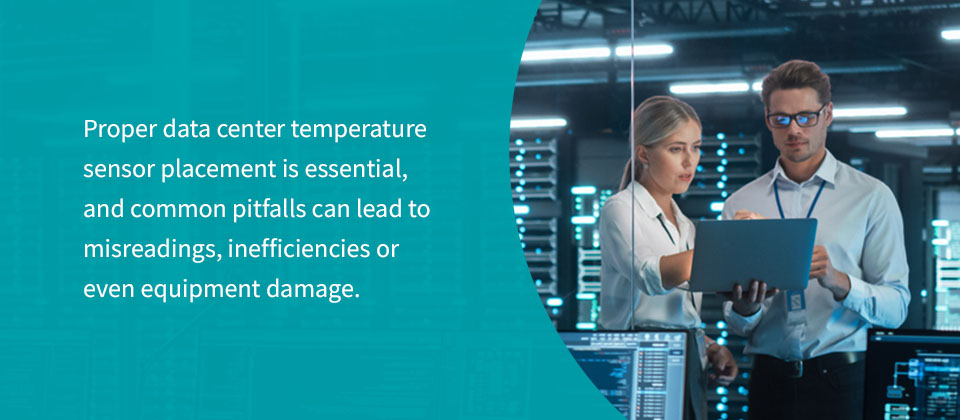
Proper data center temperature sensor placement is essential, and common pitfalls can lead to misreadings, inefficiencies or even equipment damage. Here are some errors to avoid.
- Placing sensors directly in airflow: Sensors too close to cooling vents, fan exhausts or open windows may report artificially cool or hot readings, triggering unnecessary alarms or masking real issues.
- Ignoring multilevel rack monitoring: Only monitoring one location per rack often misses vertical temperature gradients. Always measure at the top, middle and bottom rack positions.
- Neglecting thermal pocket considerations: Leaving sensors out of corners, under raised floors or behind equipment can result in missing hidden hot spots or areas of stagnant air that differ from average room conditions.
- Failing to calibrate or regularly test sensors: Sensors can drift over time. Without periodic calibration, you may miss early warning signs of cooling system failures.
- Neglecting humidity and dew point monitoring: Focusing on temperature alone is not enough. Humidity extremes can also damage equipment and increase electrostatic risks.
- Forgetting to adjust placement as infrastructure changes: Adding or moving equipment, changing airflow patterns or modifying the space requires reevaluation of sensor placement. Static sensor grids in evolving data centers lead to coverage gaps.
- Completing insufficient documentation: Lack of up-to-date diagrams and records of sensor placement makes troubleshooting and audits more difficult.
- Overlooking redundancy in critical areas: Relying on a single sensor in high-importance or high-density zones can lead to dangerous blind spots if that sensor fails or provides inaccurate data. Always deploy redundant sensors in mission-critical areas for backup and validation, ensuring continued monitoring even during sensor downtime or maintenance.
- Forgetting to review sensor data trends: Failing to review and analyze historical sensor data can allow long-term issues such as gradual airflow imbalances or subtle temperature drifts to develop unchecked. Schedule regular reviews and use analytics to identify patterns or trends that may warrant proactive intervention.
Frequently Asked Questions About Data Center Temperature Monitoring
Data center temp monitoring can be complex, with many variables shaping best practices. To clarify common concerns, we’ve compiled answers to frequently asked questions about sensor requirements, optimal temperature ranges and sensor types.
How Many Sensors Does Each Room Need?
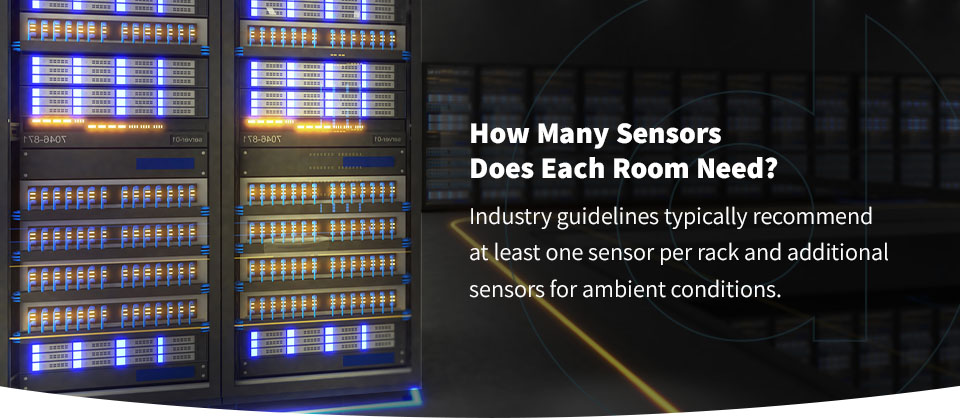
There is no single answer to this question. It varies based on room size, rack density and cooling design. Industry guidelines typically recommend at least one sensor per rack and additional sensors for ambient conditions.
What Is the Ideal Temperature for a Server Room?
According to ASHRAE, the recommended data center operating temperature is above 64 degrees and below 81 degrees Fahrenheit. For optimal longevity, many operators aim for a target temperature between 70 and 75 degrees.
What Are the Different Types of Temperature Sensors?
There are several types of sensors, including thermocouples, RTDs, thermistors and semiconductor sensors. Thermocouples are robust and suitable for a wide temperature range, but less precise at low temperatures. RTDs offer excellent accuracy and stability, ideal for precision monitoring. Thermistors are sensitive and fast-responding, best for localized measurements within racks. Semiconductor sensors are common in integrated monitoring systems, providing flexible output options for data logging and analytics.
How Often Should You Calibrate Temperature and Humidity Sensors?
For optimal accuracy, calibrate sensors at least once annually, or as recommended by the manufacturer. Consider semiannual checks in high-risk or mission-critical environments. Always recalibrate after sensor relocation or facility changes.
What Are the Risks of Not Monitoring Humidity?
Failing to monitor humidity can lead to condensation, corrosion and even electrical shorts, especially during rapid temperature fluctuations. Low humidity increases the risk of electrostatic discharge, which can damage delicate electronics.
How Does Sensor Placement Impact Energy Efficiency and Cooling Costs?
Well-placed sensors enable precise temperature mapping, allowing cooling systems to work more efficiently by targeting only overheated areas. This tactic prevents overcooling, reduces energy use and can significantly lower operating costs.
Choose DataSpan Data Center Services
Making critical choices for your data center shouldn’t involve compromises. At DataSpan, we know the importance of temperature regulation and monitoring. Since 1974, we’ve provided companies with the resources they need to run an optimally efficient data center. Our custom containment solutions make it easy to meet national standards and regulations while providing a flexible foundation for expansion and upward scaling.
Learn more about DataSpan’s custom solutions and work with our experienced technicians. Find your representative or contact us today.