

What Is a Data Center Crash Cart?
Frequently Asked Questions:
What is a data center crash cart?
A data center crash cart is a mobile workstation on wheels that provides on-site, direct physical access to servers and network equipment when remote management tools fail. It typically contains a laptop or PC, monitor, keyboard, mouse, and various connectivity tools, allowing technicians to quickly move it to a failing system and establish a direct connection for diagnostics and remediation.
Do modern data centers still need crash carts?
Yes, despite advances in remote management technology, crash carts remain essential. While modern data centers rely heavily on advanced OOB management tools, there are always scenarios where physical access is unavoidable. Some physical tasks inherently require on-site presence, and crash carts are indispensable when all else fails.
What makes a crash cart the “last line of defense”?
A crash cart represents the ultimate form of out-of-band (OOB) management. When all remote access methods fail—including dedicated OOB networks, KVM-over-IP switches, and integrated management consoles—the crash cart is the final fallback option. It provides direct, physical console access independent of any network infrastructure, making it essential for disaster recovery scenarios.
Is a crash cart the same as a code cart?
No, they serve different purposes. A code cart (also called a MAX cart) is used in healthcare for medical emergencies and contains life-saving equipment and medications. A data center crash cart is IT equipment designed to restore failing servers and network devices.
How do you connect and use a crash cart?
The typical workflow involves five steps:
1. Transport: Wheel the cart to the unresponsive server rack using omnidirectional wheels
2. Power: Connect the cart’s power strip to the rack’s power distribution unit (PDU)
3. Connect: Insert KVM cables (USB/VGA) or serial cable into the server’s console port
4. Diagnose: Gain eyes-on-glass access to observe console output and perform diagnostics
5. Restore: Fix the underlying issue to restore remote management capability
What are the essential components of a data center crash cart?
The fundamental components include:
– Mobile workstation: A laptop or PC with monitor, keyboard, and mouse
– KVM switch: Allows connection to multiple computers from a single interface
– Cables and adapters: Various types (USB, VGA, serial, HDMI) for different server connections
– Power strip: Powers cart components and provides outlets for troubleshooting
Data center uptime directly impacts business continuity, revenue and client trust. The financial consequences of an outage can be significant, with average costs reaching $9,000 per minute and brand trust repair campaigns exceeding $14 million.
Direct intervention is essential when your business’s primary remote management tools fail. A data center crash cart is an indispensable, hands-on solution for such scenarios. These mobile workstations enable immediate, physical access to server and network hardware, enabling rapid diagnostics and remediation and mitigating financial and reputational risks.
The Data Center Crash Cart — Your Last Line of Defense
In health care settings, a crash cart is a rolling cabinet stocked with lifesaving supplies that allow professionals to respond quickly in a medical crisis. A crash cart for a data center borrows this concept, providing indispensable, on-site intervention for mission-critical infrastructure failures.
Usually, a data center crash cart holds a computer or keyboard, video and mouse setup and relevant documents and devices. They also feature multidirectional casters and storage compartments. With these maneuverable workstations, IT technicians can quickly move a computer next to a failing system to establish a direct connection.
Representing the ultimate form of out-of-band management, they are the final fallback when even dedicated OOB networks become compromised.
- Emergency access: A last-resort, direct interface for systems unresponsive to remote management.
- Local connectivity: On-site interaction for servers without local input/output capabilities.
- Agile diagnostics: A portable platform for rapid, on-site troubleshooting.
Once IT technicians gain local access, they diagnose and restore the device to a state where they can manage it remotely again, bridging the gap to operational recovery.
Essential Components of a Data Center Crash Cart
Ensure you have the fundamentals when investing in a data center crash cart.
- A mobile workstation: A laptop or PC with a monitor, keyboard and mouse is the primary interface for direct rack-level connection.
- A KVM switch: This device connects a single hardware setup to two or more computers, enabling technicians to quickly switch between systems.
- Cables and adapters: A wide variety ensures connectivity to various computers and servers, allowing for quick connection and seamless system engagement.
- A power strip: This item powers all cart components while providing additional outlets for troubleshooting.
Beyond the basics, also look for the following features.
- Removable hard drives: These allow you to boot malfunctioning devices when direct access is challenging.
- A spacious work surface: A large area for all tools and components is essential.
- Lockable storage: If you use a laptop or PC as your main connection point, secure storage for documents and equipment is especially crucial.
- Backup media: External drives or tapes can recover critical data, preventing information loss.
Mobility and Stability
Crash carts require a small footprint and robust construction to facilitate rapid emergency response in data centers, including sturdy and omnidirectional wheels on a stable base to prevent tipping. Carts should also have ergonomic design qualities, including height-adjustable options and attached seats, to facilitate comfortable use while sitting or standing.
How to Connect and Use a Crash Cart
Here’s a step-by-step overview of connecting and using a data center crash cart in a typical scenario.
1. Transport
Once technicians detect an unresponsive server, they quickly wheel the cart to the specified rack. Omnidirectional wheels and a compact footprint enable a swift, safe arrival at the time of failure.
2. Power
Technicians power the cart’s integrated components by connecting the power strip to an outlet on the rack’s power distribution unit. This step ensures diagnostic tools, such as the KVM switch and mobile workstation, are instantly operational without the need for external power sources.
3. Connect
Next, technicians determine the suitable console interface on the target server, which usually involves inserting a KVM cable into the server’s USB and VGA ports or a serial cable into its allocated console port. The crash cart’s KVM switch then allows seamless swapping between the server’s console and the cart’s workstation.
4. Diagnose
Once they have established a direct connection, technicians gain instant eyes-on-glass access allowing them to observe the server’s console output in real time, enabling initial diagnostics. They can also adjust the configuration or initiate a boot sequence from an external drive for operating system repair or data recovery if necessary.
5. Restore
Technicians will work hard to diagnose and rectify the underlying issue, whether that’s a driver malfunction, a critical OS error or a network misconfiguration. Their goal is to restore a device to a state where remote management becomes possible again.
When to Use a Data Center Crash Cart
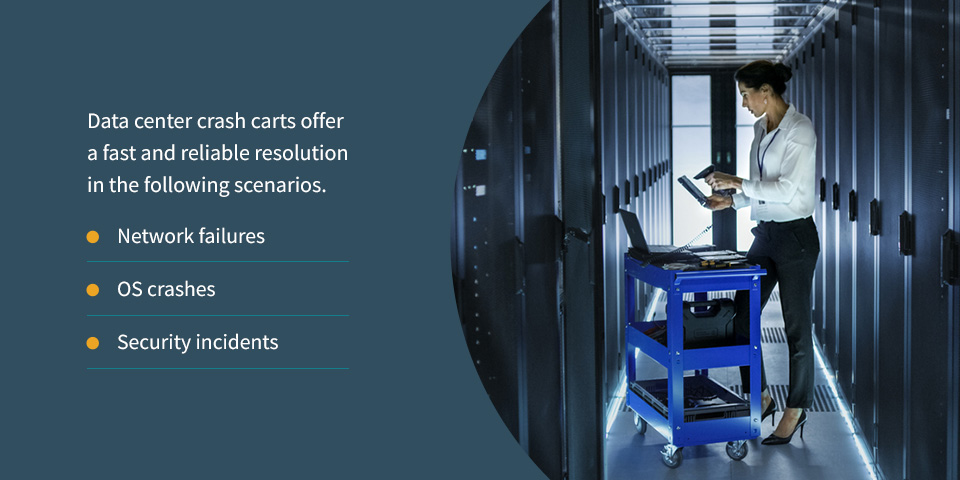
A data center crash cart is invaluable when server malfunctions or other issues prevent remote accessibility. With the high cost of downtime, a slow response can incur significant financial penalties for companies. Data center crash carts offer a fast and reliable resolution in the following scenarios.
- Network failures: When a core network component — such as a switch or router — fails and severs remote access to a rack, technicians can promptly diagnose the issue with the tools on their crash cart.
- OS crashes: Direct physical intervention is necessary if a kernel panic or blue screen indicates that the OS is unresponsive to network commands.
- Security incidents: During security lockdowns, intentional network severance mandates physical presence for secure machine investigation.
Beyond emergency response, crash carts can also serve various other uses. For example, they enable quick on-site installation and configuration of new hardware, bypassing remote dependencies. Crucially, they allow critical BIOS/UEFI updates and firmware operations requiring direct console access and reboots. Many colocation centers offer crash cart services as an add-on, providing a valuable solution that enables their expert staff to swiftly address server-level remote access failures for clients.
Crash Carts vs. Modern Remote Access
Many modern data centers rely on advanced OOB management tools for remote control and monitoring. Integrated serial consoles and KVM-over-IP switches are generally the standard, providing robust remote access directly within the rack. These solutions allow administrators to manage servers and network devices from almost anywhere, serving as a powerful first line of defense against disruptions and system failures.
An advantage of OOB tools is their ability to facilitate remote troubleshooting and recovery, reducing the need for physical presence while minimizing downtime and travel costs. Instead of waiting for technicians to arrive on-site, your company can immediately address issues, which is priceless for colocation or geographically dispersed data centers.
A crash cart’s strength lies in its complete network independence. These workstations are generally universally compatible and often involve a lower upfront cost than KVM-over-IP deployments.
While remote OOB management is the primary approach, a crash cart remains the final safeguard when these tools fail or are unavailable. Furthermore, some physical tasks inherently require on-site presence, often involving the use of a crash cart. Therefore, crash carts and remote OOB tools are not mutually exclusive — they are complementary components of a comprehensive data center management strategy.

Partner With an Expert for Data Center Reliability
While a crash cart is vital for emergencies, proactive infrastructure management, proper configuration and expert support prevent crises and maintain uptime. When you choose a trusted data center expert like DataSpan, you get access to valuable guidance tailored to your business.
With 50 years of experience, we offer comprehensive networking products and services. Our core solutions include data center IT services, storage and physical IT infrastructure, helping you minimize downtime and resolve challenges. With our customized approach that meets your technological needs, partnering with us can push your data strategy forward.
See why more than half of the Fortune 1000 companies trust us to provide effective data center solutions. Contact us today to learn more about how we can help you build a more resilient and reliable IT infrastructure.

About the Author: Alex von Hassler’s long term focus is the continued testing, learning, and deployment of modern IT solutions. During his years as a DataSpan team member, his responsibilities grew from managing Salesforce CRM to improving system security, creating marketing initiatives, as well as providing continued support to the highly motivated and experienced team in an ever-changing industry. As DataSpan evolves to provide the best-fitting IT solutions to its customers, Alex von Hassler continues to hone his skills in the world of web-based ERP systems, security, and best customer engagement practices. Empowering such a dynamic team with the right tools provides him with enormous gratification.